Starling and Tide are the two most recognised names in UK challenger business banking — and they’re genuinely different products, not just different brands. Choosing the wrong one creates friction that compounds for years: unnecessary fees, weak MTD integration, or a credit check that leaves a footprint when you can’t afford one. This Starling vs Tide UK business account comparison covers pricing, FSCS protection, MTD compatibility, and exactly which type of business should use each.
Table of Contents
Quick Verdict
Starling wins for most UK SMEs. It’s a fully FCA-authorised UK bank — deposits protected up to £85,000 directly under the Financial Services Compensation Scheme. The standard business account is free, with no transaction fees on UK transfers. For businesses that care about security, MTD software integration, and zero ongoing costs, Starling is the stronger default.
Tide wins on speed and access. Account open in minutes. No hard credit check. Built-in invoicing. If you need a business account today — or you’ve been turned down by a traditional bank — Tide is the practical answer.
This Starling vs Tide UK business account guide covers both in full below.
What Is Starling Bank?
Starling is a fully licensed UK bank, authorised by the Prudential Regulation Authority (PRA) and regulated by the Financial Conduct Authority (FCA). That distinction matters: your deposits up to £85,000 are held within the bank itself, protected directly by the FSCS. Not via a third party. Not through a safeguarding arrangement. In the bank. For UK businesses comparing the Starling vs Tide UK business account options, the licensing difference is the starting point.
The standard Business Current Account is free — no monthly fee, no charge for UK transfers or card payments. The optional Business Toolkit (£7/month) adds invoicing, VAT tracking, and tax tools for businesses that need them. Starling integrates natively with Xero, QuickBooks, and FreeAgent. For businesses operating under Making Tax Digital, that matters.
What Is Tide?
Tide is not a bank. It’s an FCA-regulated e-money institution — which means customer funds are held with ClearBank, a fully PRA and FCA-authorised bank, rather than with Tide itself. FSCS protection up to £85,000 applies via ClearBank. The practical difference is indirect rather than absent, but it’s worth understanding before you decide.
Tide serves over 500,000 UK businesses — roughly 10% of all UK SMEs. Its four-tier model runs from Free to Smart (£12.49/month), Pro (£24.99/month), and Max (£59.99/month). Higher tiers unlock unlimited transfers, expense cards, cashback, and priority support. No overdrafts on any plan.
Pricing: Starling vs Tide UK Business Account
| Feature | Starling Business | Tide Free | Tide Smart | Tide Pro |
|---|---|---|---|---|
| Monthly fee | £0 | £0 | £12.49 | £24.99 |
| UK transfers | Free — unlimited | 20p each after 20 free | 25 free/month | Unlimited free |
| Incoming payments | Free | Free | Free | Free |
| Cash deposits | 0.7% (min £3) at Post Office | £2.50 per £500 | £2.50 per £500 | £2.50 per £500 |
| Expense cards | £0 for directors | £5/month each | 1 included | 2 included |
| Overdraft | Available on application | Not available | Not available | Not available |
| Business Toolkit | £7/month add-on | Not available | Partial | Partial |
The key number here: if you make more than 20 UK transfers a month, Starling saves you real money. Tide’s free plan charges 20p per transfer beyond the first 20. At 100 transfers per month, that’s £16 in fees — Starling charges nothing.
Core Features Compared
The Starling vs Tide UK business account difference goes beyond price — licensing status, credit checks, and feature availability all differ significantly.
| Feature | Starling | Tide |
|---|---|---|
| UK banking licence | ✓ Yes | ✗ No (e-money institution) |
| FSCS protection £85k | ✓ Direct | ✓ Via ClearBank |
| Overdraft | ✓ Available | ✗ Not available |
| Built-in invoicing | ✓ With Business Toolkit | ✓ All plans |
| Multi-currency | ✓ USD + EUR | ✗ GBP only |
| International transfers | ✓ Available | EUR/SEPA only |
| Accounting integrations | Xero, QuickBooks, FreeAgent | Xero, QuickBooks, Sage, FreeAgent, Kashflow, Crunch |
| Credit check | Hard | Soft only |
| Cheque deposits | ✓ App-based imaging | ✗ Not accepted |
| Company registration | ✗ No | ✓ Available |
MTD Compatibility: Starling vs Tide
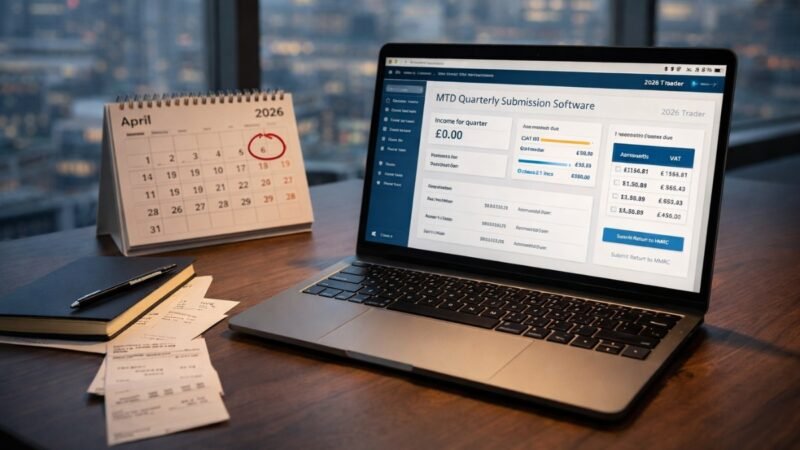
Making Tax Digital for Income Tax (MTD ITSA) is mandatory for sole traders and landlords with income above £50,000 from 6 April 2026. Both banks integrate with HMRC-recognised accounting software — but the quality gap is real.
Starling’s bank feed into Xero and QuickBooks syncs in near-real time. That’s what quarterly MTD reporting requires: transactions available to your accountant when they need them, not 48 hours later. FreeAgent works too, which makes Starling a strong choice for contractors doing their own accounts.
Tide’s integration list is broader — Sage and KashFlow on top of the Xero/QuickBooks/FreeAgent trio — but feed reliability varies by plan and provider. If you’re entering MTD for the first time, pick your software and your bank in the same conversation. For a direct comparison of which accounting software works best with your UK business bank account, the differences in bank feed quality between Xero and Sage matter here too. And if you’re unsure whether MTD ITSA applies to you, MTD requirements for UK sole traders in 2026 is the place to start before you touch your bank account.
For the official HMRC list of MTD-compatible software, see the HMRC-recognised MTD software directory.
Integrations and Business Tools
Starling’s Marketplace connects directly to accounting platforms, payment tools, and lending products — Xero, QuickBooks, FreeAgent, Habito, and others. The Open Banking API is developer-accessible, which matters for businesses building custom finance integrations.
Tide’s ecosystem is more curated — integrations are managed within the platform rather than through an open API. For UK businesses automating financial workflows across multiple tools, automating your UK business finances with Make.com or Zapier covers how both banks plug into broader UK automation stacks.
Who Should Choose Starling?
Choose Starling if you’re running an established UK business with a clean credit history, making regular UK transfers, and need your banking to slot cleanly into an MTD-compliant accounting workflow. The free unlimited transfers alone justify it for any business moving money frequently. The direct FSCS protection and overdraft availability make it the lower-risk long-term choice.
It also wins clearly for any business handling foreign payments — Starling supports USD and EUR accounts alongside GBP. Tide doesn’t.
Who Should Choose Tide?
The Starling vs Tide UK business account decision shifts clearly in Tide’s favour when speed of access is the priority. Choose Tide if you need an account open today and can’t wait for Starling’s credit check. Tide’s soft credit check makes it accessible for businesses that a traditional bank — or Starling — would decline.
It’s also the right call if you want invoicing built into your banking app at no extra cost. Starling’s Business Toolkit costs £7/month for features Tide includes in its free plan. For a sole trader with low transaction volume who wants one app for banking and admin, Tide is a genuinely efficient setup. Company registration is another differentiator — Tide can handle it; Starling can’t.
Our Verdict
On the Starling vs Tide UK business account question, Starling is the default recommendation for most UK SMEs. It’s a proper bank, the account is free, transfers are unlimited, and the MTD accounting integrations are the most reliable of any UK challenger bank. The hard credit check is the only meaningful friction — and for most established businesses it won’t be an issue.
Tide exists for a specific audience and it serves them well: fast-setup businesses, applicants with thin or poor credit histories, and sole traders who want an all-in-one admin app rather than separate banking and invoicing tools.
Pick based on where you sit, not on brand recognition. For a fuller picture of how both compare against every major UK business banking option — Monzo, Barclays, NatWest, and the high-street banks — our full ranking of the best business bank accounts in the UK for 2026.
Frequently Asked Questions
Is Tide as safe as Starling?
Tide provides FSCS protection up to £85,000 via ClearBank, which is fully PRA and FCA-regulated. Starling provides it directly as a licensed bank. Both are considered safe for UK business use — the protection mechanism differs, the outcome doesn’t for most depositors.
Does Tide do a credit check?
Soft check only — no impact on your credit score. Starling runs a full hard check. If you have CCJs, defaults, or no UK credit history, Tide is the more accessible option.
Can I use Starling or Tide for Making Tax Digital?
Both integrate with HMRC-recognised software — Xero, QuickBooks, and FreeAgent. Starling’s bank feed is more reliable for automated syncing. Either works for MTD compliance, but your software choice matters as much as your bank.
Is Starling better than Tide for sole traders?
For sole traders making regular transfers and entering MTD, Starling’s unlimited free transfers and direct FSCS protection win. For sole traders who want built-in invoicing at no cost, Tide’s free plan is more complete out of the box.
Can I switch from Tide to Starling?
Yes. Check both providers’ business account switching processes — CASS doesn’t always apply to business accounts. Starling supports CASS for eligible accounts. Allow roughly 7 working days once the switch is initiated.